01
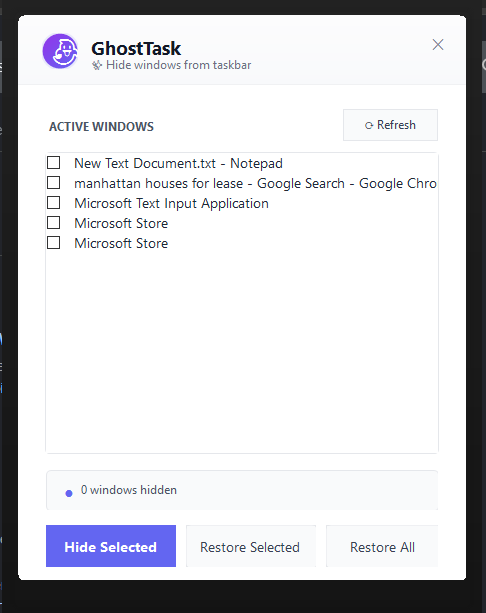
Open GhostTask
See every open window in one clean, simple list.
GhostTask hides apps from your taskbar and simulates natural activity to keep your system awake. Stay focused, stay private, stay productive.
Windows 10 & 11 • Works offline
A quieter desktop
GhostTask gives you a calm, uncluttered taskbar in three simple moves.
See every open window in one clean, simple list.
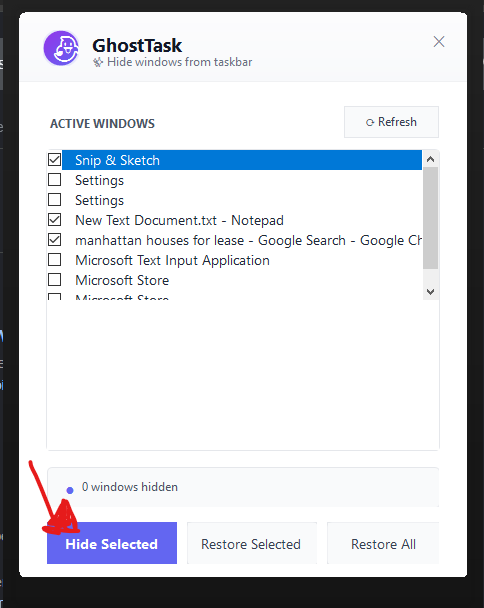
Select one window, or select a few. You are always in control.
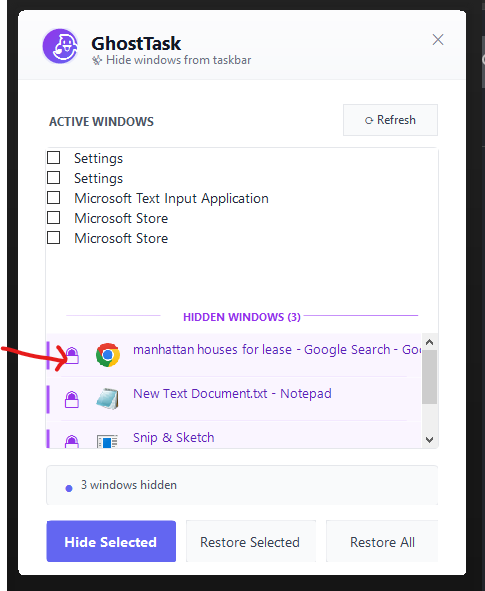
Restore any hidden window instantly, exactly where you left it.
Small utility. Big relief.
Choose an app and make it vanish. No complicated settings, no learning curve.
Hidden windows keep running in the background. Your work is safe and ready when you are.
Simulates natural mouse movements and scrolling to keep your system from going idle.
Keep personal apps, sensitive work, or distractions away from curious eyes.
GhostTask sits quietly in your system tray and uses almost no resources.
Once activated, GhostTask works without internet for your entire subscription period.
Your taskbar, upgraded
When your taskbar fills up, focus gets harder. GhostTask clears the noise while your apps keep working exactly as they should.
Take back your taskbar

Always accessible
GhostTask runs quietly in the background. Click the system tray icon to open the app, manage hidden windows, or toggle LazyWork mode.
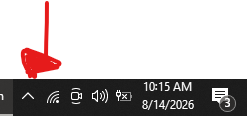
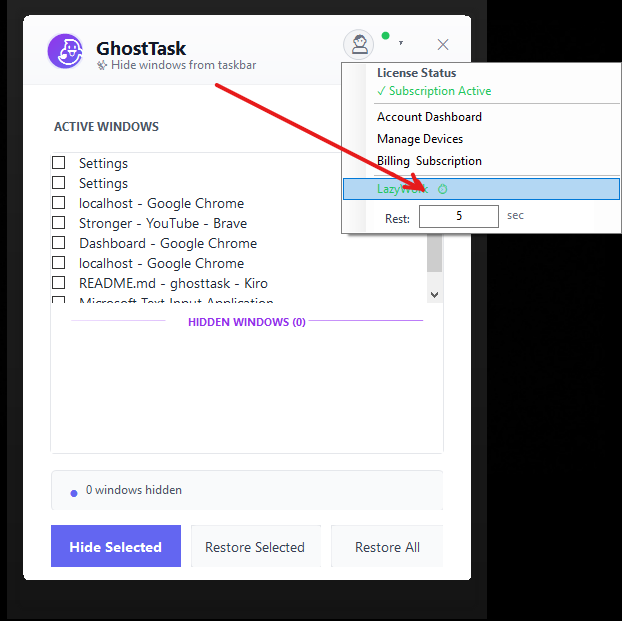
Always active. Never idle.
LazyWork simulates natural mouse movements and scrolling to prevent your system from going idle. Perfect for long downloads, video rendering, remote sessions, or any time you need to stay active.
Still there. Just invisible.
GhostTask doesn't minimize or close anything. It simply removes selected apps from your taskbar, so your attention stays on what matters.
Built for real work
From deep focus to presentations, GhostTask adapts to how you work.
Hide distracting apps from your taskbar while keeping them visible for reference.
Reduce taskbar clutter while working with many windows. Keep only what you need visible.
Hide background apps from taskbar during screen sharing without closing them.
Keep secondary monitor windows off the taskbar on your primary display.
Use LazyWork mode to prevent your system from going idle during long downloads, renders, or remote sessions.
Keep your workflow uninterrupted with natural activity simulation that runs in the background.
Simple, transparent pricing
Choose what fits your setup.
Cancel anytime • Works offline
Questions, answered
GhostTask is a lightweight Windows utility that hides windows from your taskbar and simulates natural activity to keep your system active. It removes taskbar buttons while keeping apps fully functional, and includes LazyWork mode to prevent idle timeouts.
Technical details
Windows 10 or Windows 11
.NET 8 Desktop Runtime
~50 MB Memory • ~10 MB Disk Space
Ready when you are
Download GhostTask and make your desktop feel like yours again.
Download GhostTask Windows 10 & 11 • Works offline